Blog Migration to Ghost
I migrated my blog from Next.js hosted on Vercel to Ghost self-hosted on my home server.

When I started this blog in the summer, I was interested in learning and building something new, which was Next.js. It was fun to have full control, design the layout, and come up with a framework to store all my content as markdown files.
I think the system I had works for a site which has fairly static content, since it was simple and didn't need a database. But now that I have written a fair amount of content, I have realized how painful it is to write in markdown and having to commit content as changes in a repository.
So it was finally time to move onto an actual blog content management system. I did some research on whether I wanted to use Substack or self-host something, and decided on self-hosting. I'm not really trying to grow a following, and I still like being able to customize things, so Substack didn't fit my use case. Another popular system I saw mentioned online was Ghost. I remember back in college when Ghost first came out as an alternative to WordPress, but I didn't have much reason to use it at the time.
Well here we are in 2025 and I am finally using it.
Of course, this did not come without some trade-offs.
- Out-of-the-box theme deployment is inefficient. You have to zip up the theme files and upload it through the UI. Luckily, I'm using one of the official themes and have only made minor changes, so my soul is still intact. But if I ever want to develop my own theme, I need to look into setting up an actual development environment. I imagine it wouldn't be much different than the "dev mode" I setup for my Home Assistant card development.
- Themes use handlebars. I guess I have nothing against handlebars. It just pains me because I hate it at work.
- I don't get a backup of my content "for free". In my Next.js version, everything was saved to my computer (which is also backed up to my NAS and OneDrive) and committed to a repository, so I didn't have to worry about losing the content. I still need to setup a solution for this; I just haven't looked into it yet.
But honestly, everything else is much better than what I had before. The official theme looks so much better than the one I made and can handle a variety of content items (galleries, embeds, etc.). And I can always use a markdown block if I have something that they don't quite handle (like expandable code blocks). Most importantly, I can write posts and make changes from anywhere; I don't have to be on my home desktop which has the repository setup.
I used to be worried about self-hosting something public on my home server. But let's be real, my blog does not get a lot of traffic. I get less than 10 visits per month, and almost all of those are because I had directly sent a link to a friend. So I'm not worried about downtime if I messed up something on my server or there's a power outage. This is now inspiring me to migrate some of my other remotely self-hosted services to my home server to save money.
I also have a newsletter now (pretty easy to setup in Ghost), so friends, if you haven't been following my blog because it's a hassle to check it periodically, sign up for my newsletter! And you can leave comments on posts too! Wowow.
It was fairly easy to install Ghost using a Proxmox helper-script. (Although I slightly regret not just creating a Docker LXC and using docker-compose. But I can migrate it again in the future.) And I'm using a Cloudflare tunnel to expose it to the world through my subdomain.
As part of the migration process (in which I manually copy and pasted all the content), I also went through every post and wrote a short summary excerpt. I had excerpts before, but they were sometimes long and didn't actually describe all the contents of the post. Moving forward, I will also make an effort to include a featured image on each post. Hopefully these two changes will also make my future content more digestible.
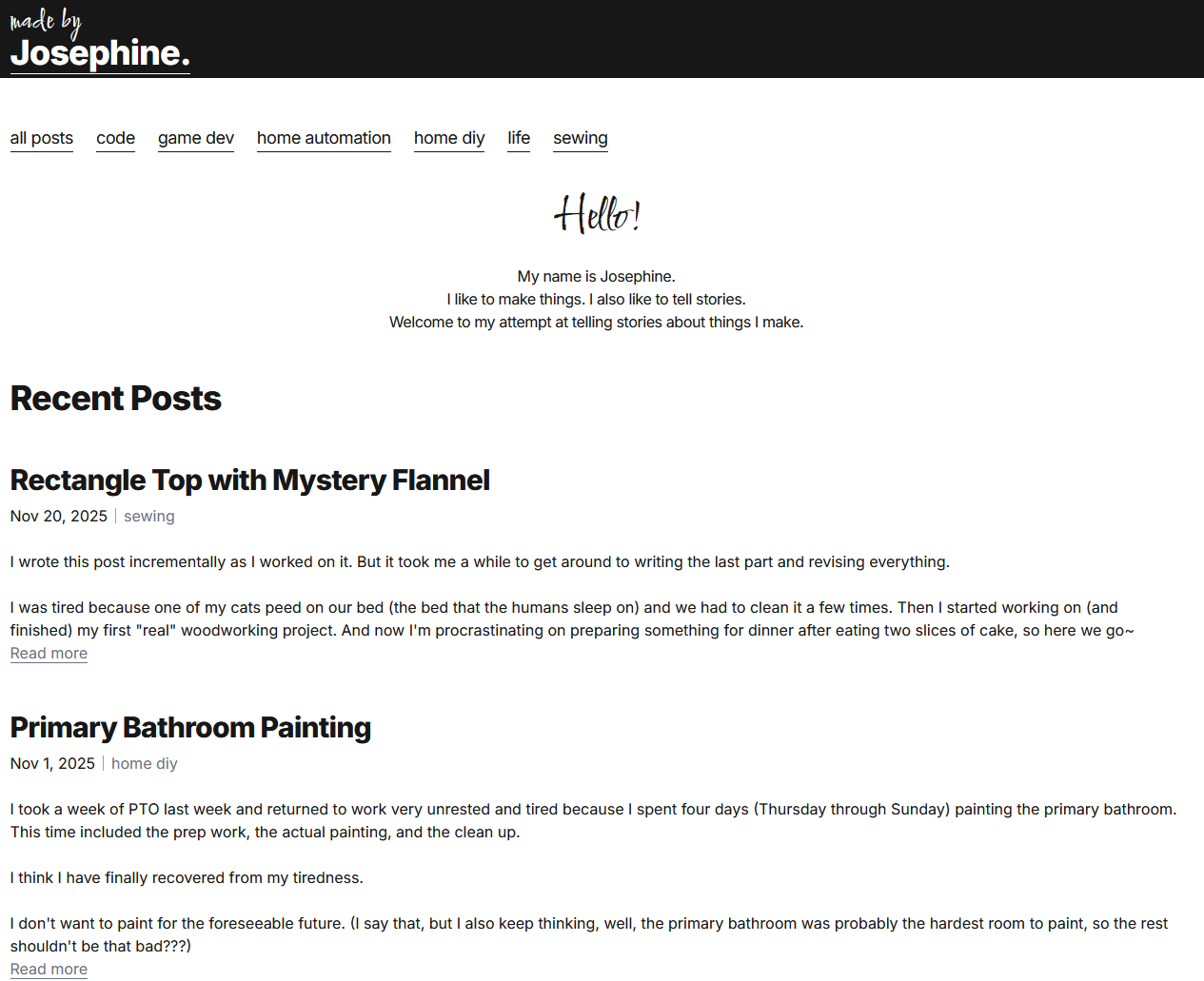
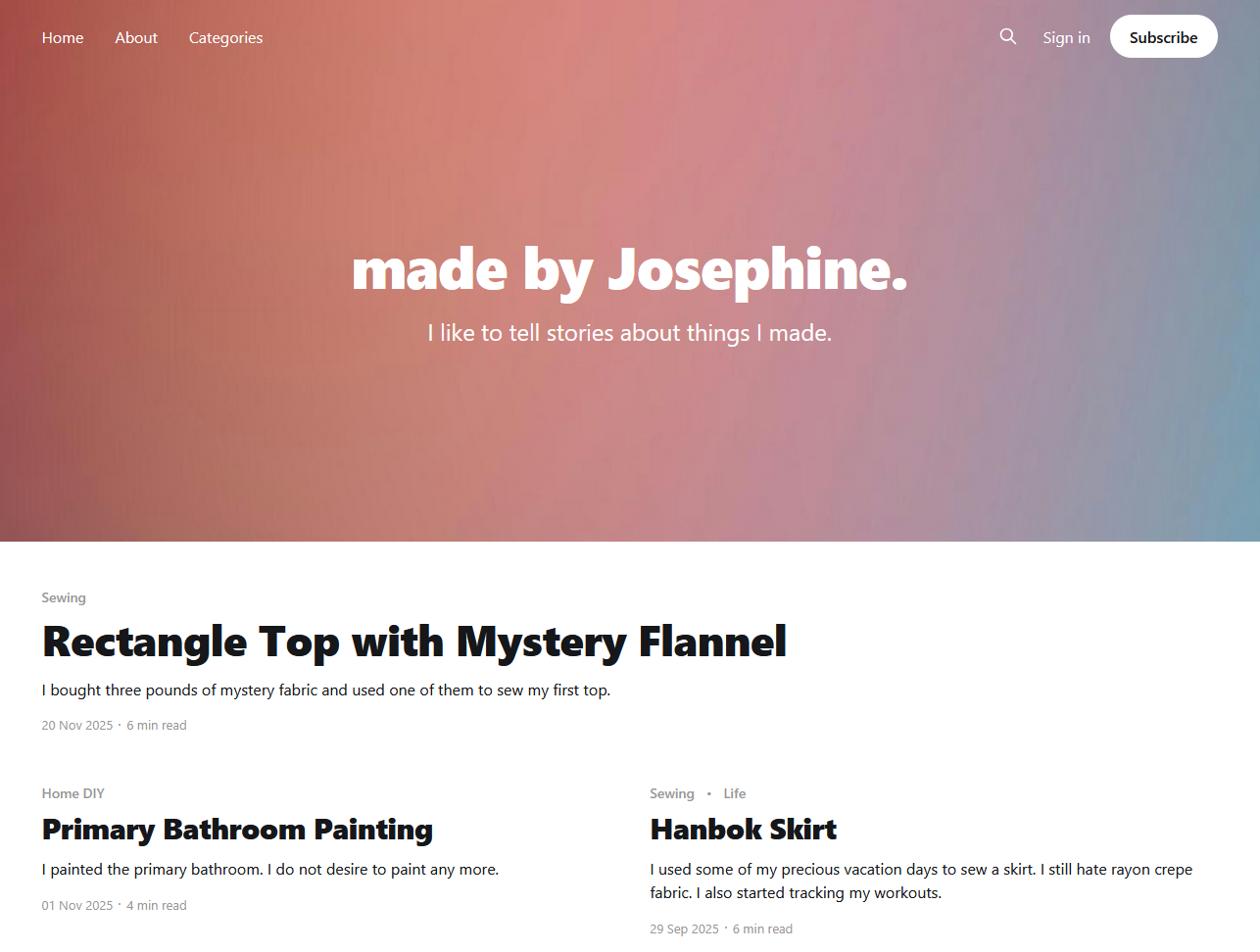
Lastly, here's a side by side comparison of the old and new blog.