Love2D Game Progress
More Love2D learning and exploration. No actual game yet, but I made some cool buttons!
I spent the last week doing more proof-of-concept work for my game.
I still don't have a concrete plan for the gameplay, but I'm hoping that having an idea of what I could implement will give me ideas. I don't want to plan to create something that is hard to implement lol.
So for now I'm just building simple UI components that I might use like buttons, scrollable panels, etc.
The first thing I did was rewrite/enhance my code from Love2D Game Setup to render fancier buttons with colors and fonts. I removed the status updates for now.
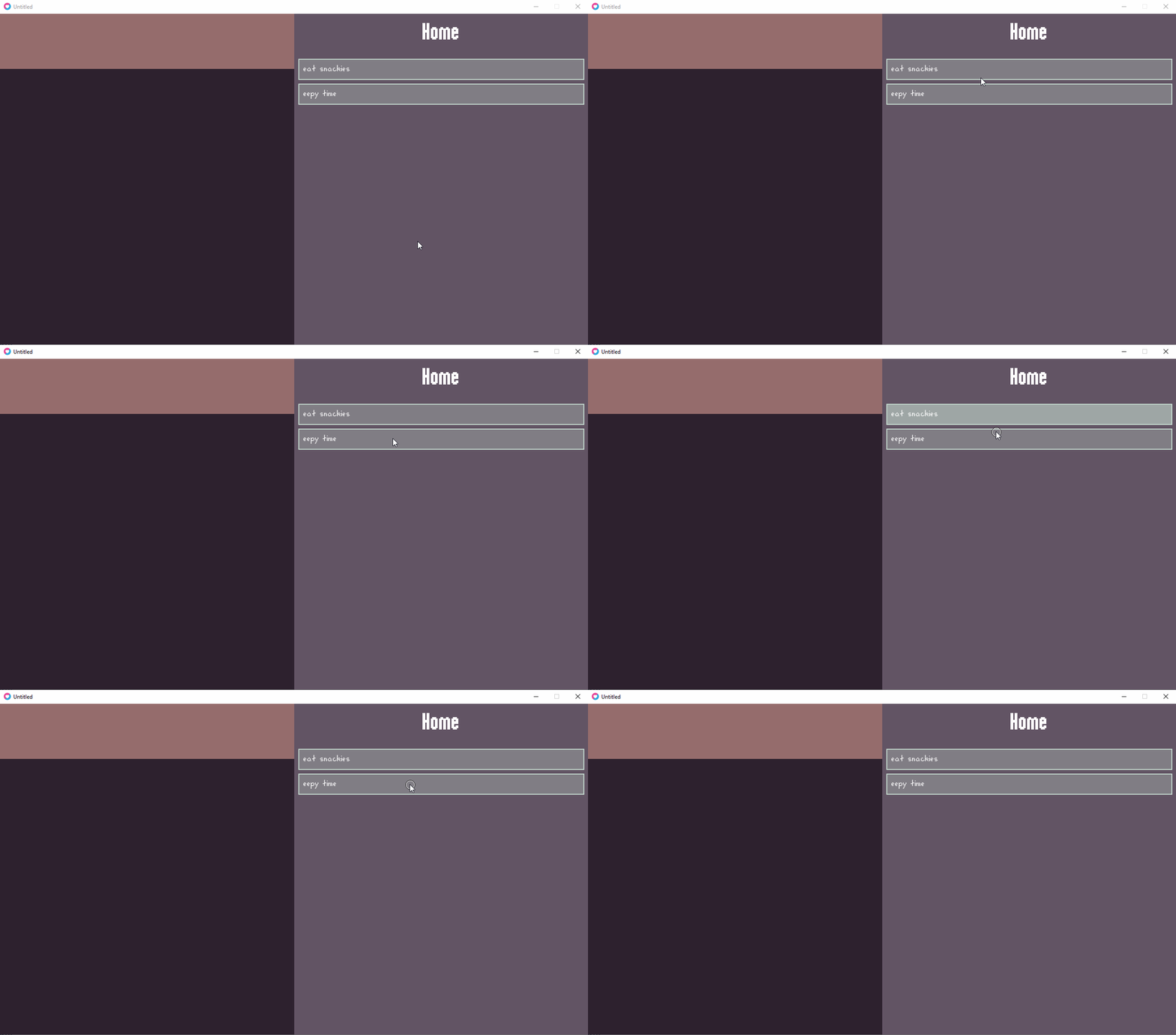
I also made a layout of panels:
- The top-left panel will display status
- The bottom-left panel will display the "world", like the player character and their environment
- The right panel will display actions organized in sub-menus (only one menu for now)
This will probably change, but just starting with something.
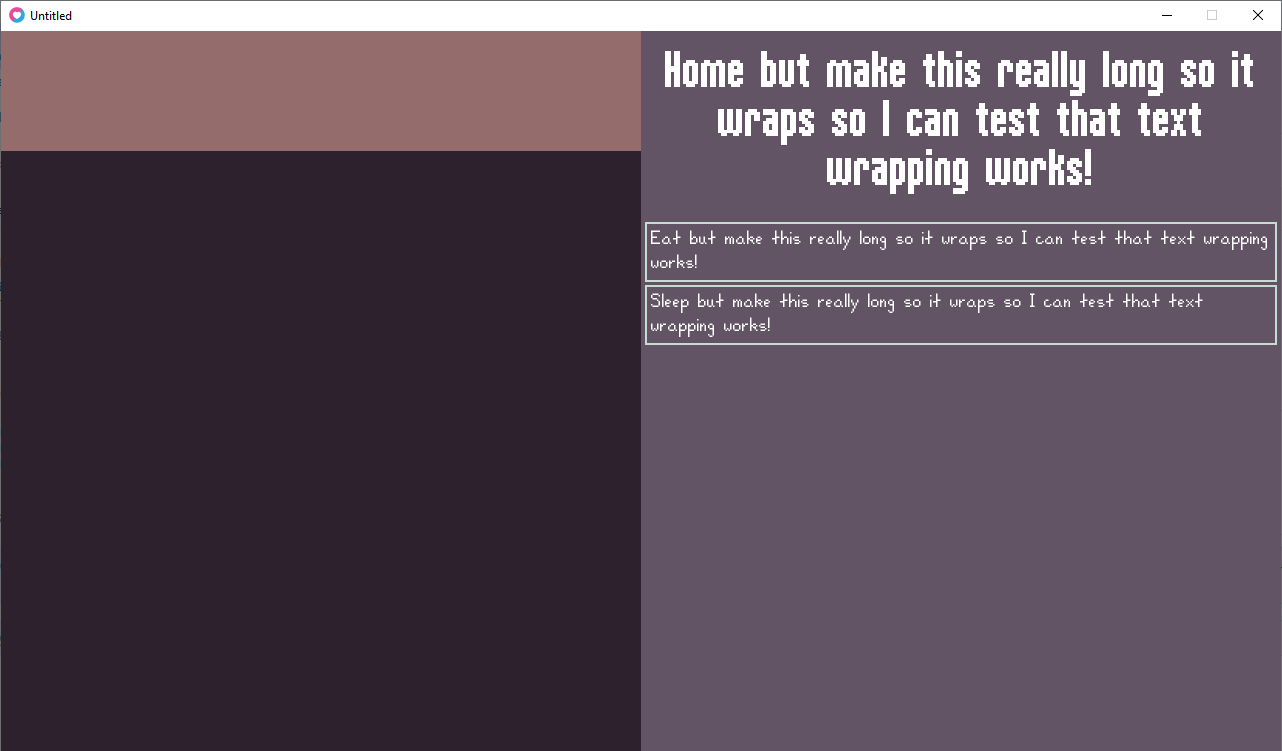
Then I implemented text boxes as a separate component from buttons. These support text wrapping and dynamic height.
At this point, I felt it was time to look at libraries to make building UI components easier and more structured. I sort of had a structure, but there was a lot of common logic that I would probably have to copy to each component. I'm sure there was a library that already does that for me. (I could certainly write my own, but I don't think I have any business writing one right now when I'm still figuring out how Love2D works.)
I looked at most of the libraries listed in the Awesome Love2D: UI collection of resources. Some of the ones I looked at and considered:
And ended up going with Inky. For now at least. Why did I choose Inky? It doesn't come with any pre-built UI components (i.e. widgets). It's React-like, so it's not a huge learning curve for me. The event system seems simple to use as well, which I would use for status updates. And components have internal awareness of pointer collisions (although it can be overridden).
So I refactored everything I wrote so far to use Inky.
In the process, I struggled with handling components with dynamic height in the case of text-wrapping. I'll come back to this later when I actually need it. For now, I can just make my elements tall enough to display 1-2 lines of text; if text is longer, it will display outside of the allocated area and be excluded from pointer collision.
After refactoring was done, I made the actions panel scrollable (by dragging the panel up and down or using the mouse wheel).
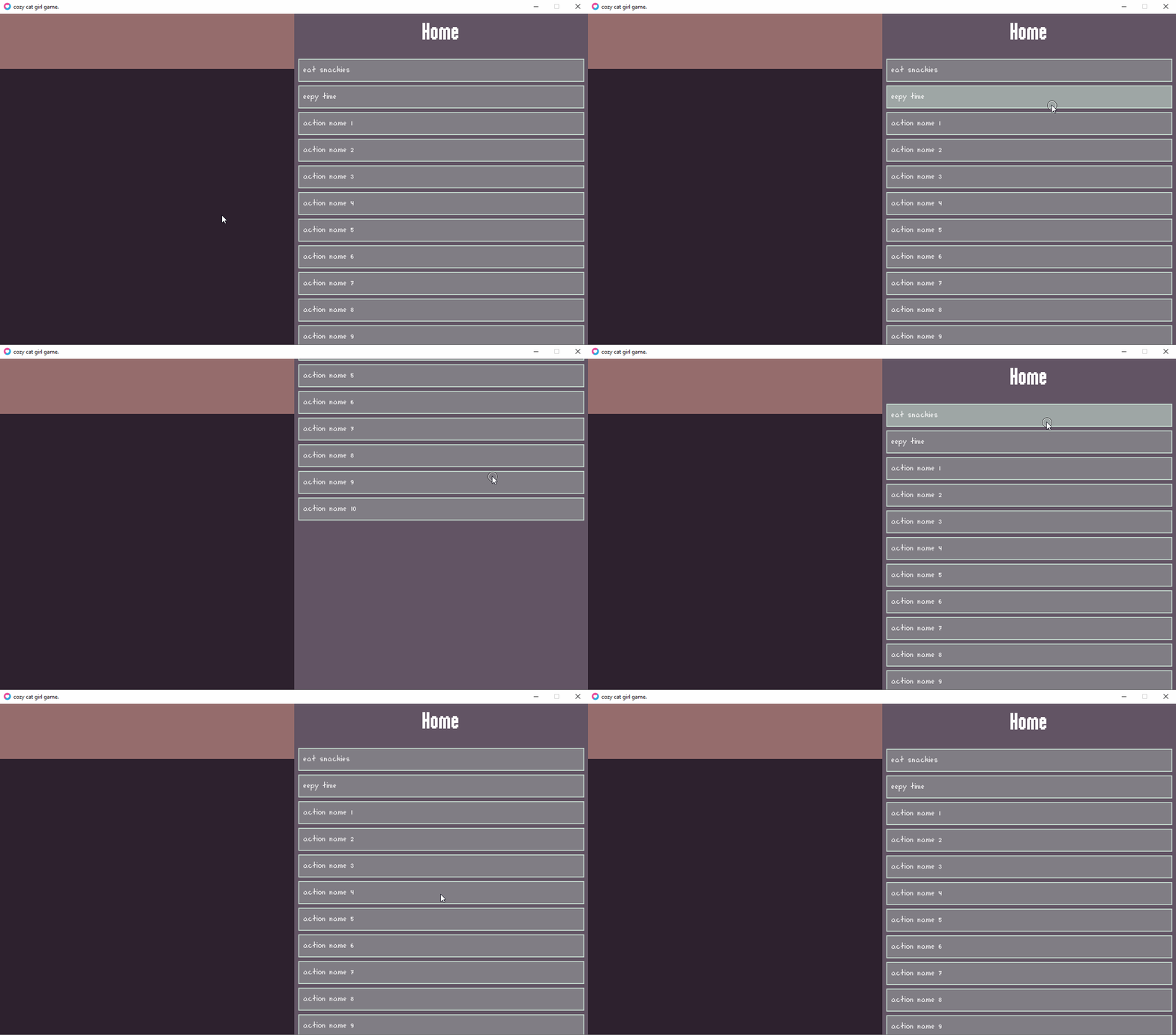
Not really shown in the demo, but you could scroll down infinitely, which was not desirable. So I added logic to limit the scroll amount.
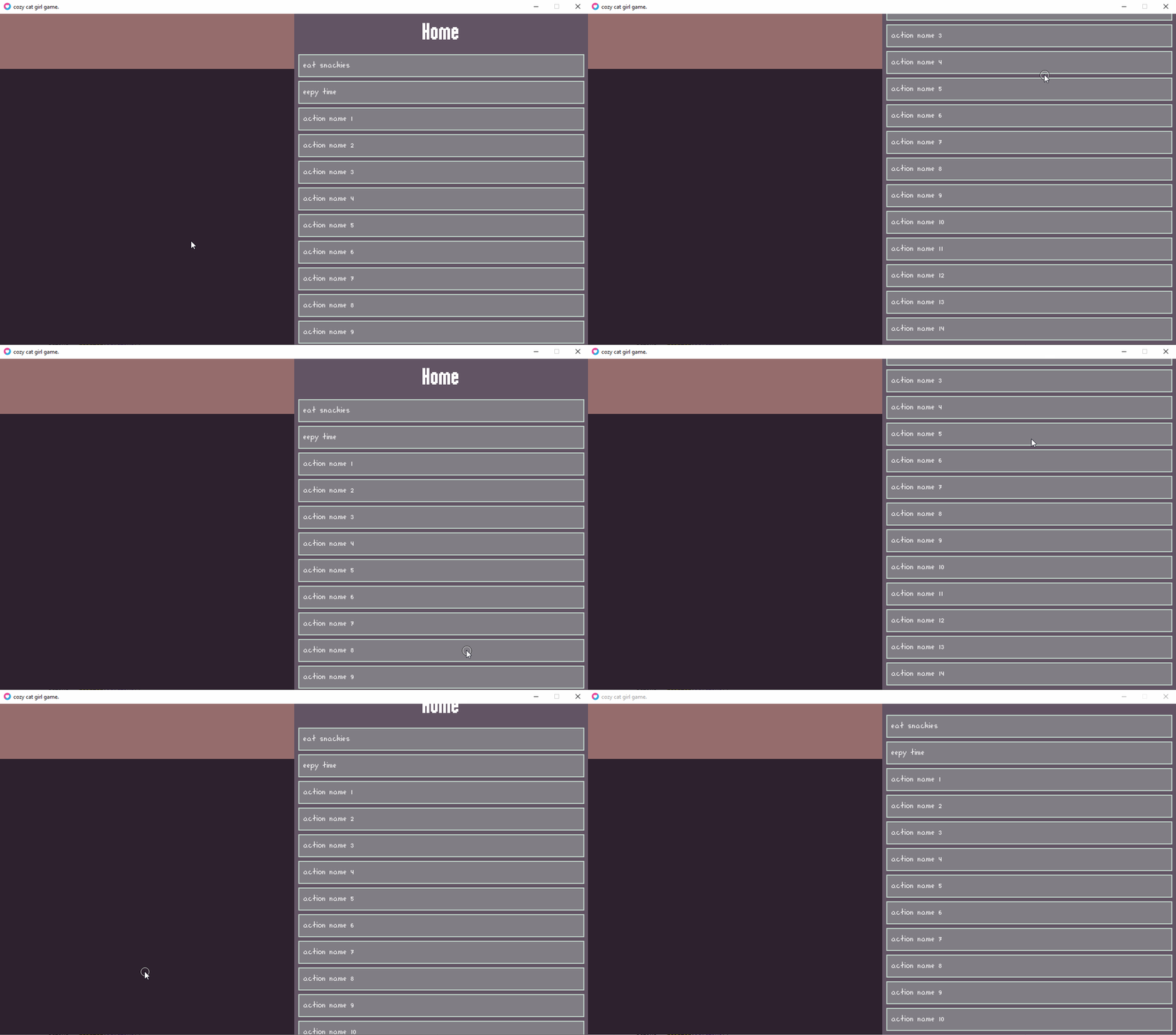
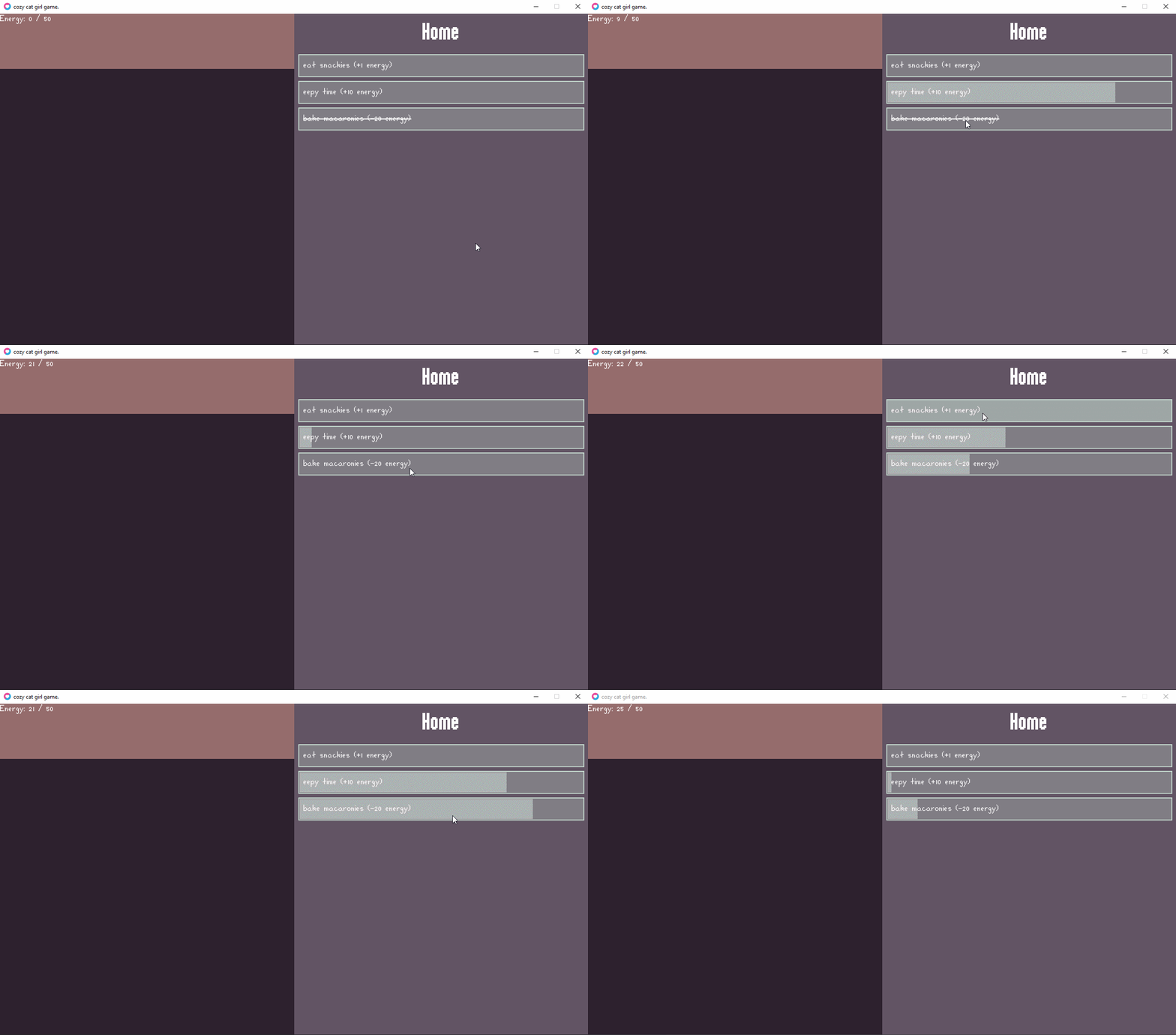
Finally, I added back status update logic, with more complexity than before.
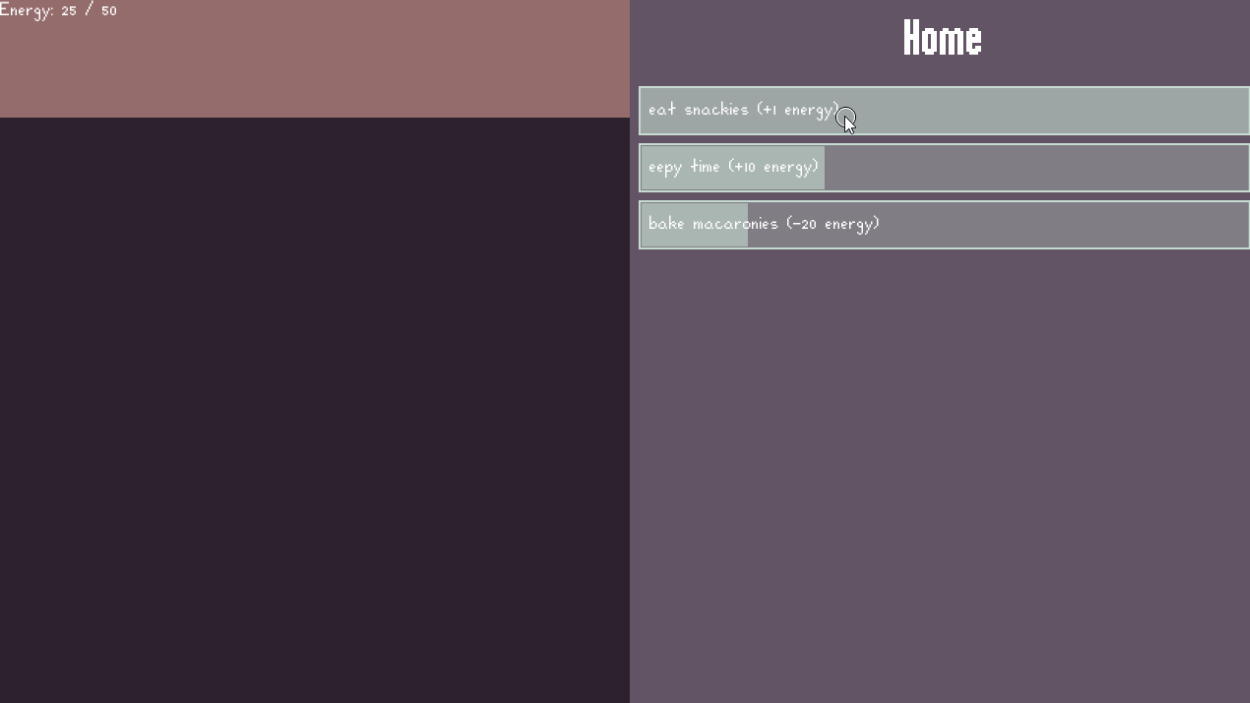
Currently there is only one resource "Energy" which depletes at 1 unit/sec. You can eat and sleep to replenish energy. Eat has no cooldown. Sleep has a 5-sec cooldown, indicated by the button background. Bake uses up energy and also has a 5-sec cooldown; if the player doesn't have enough energy, the text is crossed out and clicking does nothing.
Just to give an idea of how the code is structured right now, I have a top-level Game component that contains all the game data and UI components. This includes an ActionsPanel component, which includes ActionsPanelItem components.
Game.lua
local Inky                = require("lib.inky")
local events              = require("src.ui.events")
local ActionsPanel        = require("src.ui.panels.ActionsPanel")
local StatusPanel         = require("src.ui.panels.StatusPanel")
local WorldPanel          = require("src.ui.panels.WorldPanel")

local UPDATE_DEPENDENCIES = {
    [events.UPDATED_GAME] = {},
    [events.UPDATED_PLAYER] = { events.UPDATED_GAME },
    [events.UPDATED_PLAYER_ENERGY] = { events.UPDATED_PLAYER, events.UPDATED_GAME }
}

local Game                = Inky.defineElement(function(self, scene)
    self.props.running = true
    self.props.energyLossCooldownTimer = 1

    self.props.player_energy_current = 50
    self.props.player_energy_max = 50

    local actionsPanel = ActionsPanel(scene)
    local statusPanel = StatusPanel(scene)
    statusPanel.props.initial = {
        player_energy_current = self.props.player_energy_current,
        player_energy_max = self.props.player_energy_max,
    }
    local worldPanel = WorldPanel(scene)

    self:useEffect(function()
        scene:raise(events.UPDATED_PLAYER_ENERGY, self.props)
        for _, event in ipairs(UPDATE_DEPENDENCIES[events.UPDATED_PLAYER_ENERGY]) do
            scene:raise(event, self.props)
        end
    end, "player_energy_current", "player_energy_max")

    self:on(events.TIME_ELAPSED, function(_, duration)
        if self.props.running then
            self.props.energyLossCooldownTimer = self.props.energyLossCooldownTimer - duration
            if self.props.energyLossCooldownTimer <= 0 and self.props.player_energy_current > 0 then
                self.props.player_energy_current = self.props.player_energy_current - 1
                self.props.energyLossCooldownTimer = self.props.energyLossCooldownTimer + 1
            end
        end
    end)

    self:on(events.EXECUTE_ACTION, function(_, callback)
        if callback ~= nil then
            callback(self.props)
        end
    end)

    return function(_, x, y, w, h, depth)
        actionsPanel:render(640, 0, 640, 720)
        statusPanel:render(0, 0, 640, 120)
        worldPanel:render(0, 120, 640, 600)
    end
end)

return Game
ActionsPanel.lua
local Inky               = require("lib.inky")
local actions            = require("src.data.actions")
local colors             = require("src.ui.colors")
local fonts              = require("src.ui.fonts")
local Box                = require("src.ui.common.Box")
local TextBox            = require("src.ui.common.TextBox")
local ActionsPanelItem   = require("src.ui.panels.ActionsPanelItem")

local ActionItems        = actions.ActionItems
local ActionItemImpls    = actions.ActionItemImpls
local ActionSections     = actions.ActionSections
local ActionSectionImpls = actions.ActionSectionImpls

local PANEL_PADDING      = 10
local HEADER_PADDING     = 20
local ITEM_HEIGHT        = 48
local ITEM_MARGIN        = 10

local MENUS              = {
    [ActionSections.HOME] = {
        ActionItems.HOME_EAT,
        ActionItems.HOME_SLEEP,
        ActionItems.HOME_BAKE,
    }
}

local ActionsPanel       = Inky.defineElement(function(self, scene)
    self.props.section = ActionSections.HOME
    self.props.viewY = 0

    local sectionLabel = ActionSectionImpls[self.props.section].label
    local sectionItems = MENUS[self.props.section]

    local panel = Box(scene)
    panel.props.fillColor = colors.ACTIONS_PANEL_BG

    local header = TextBox(scene)
    header.props.align = "center"
    header.props.color = colors.ACTIONS_PANEL_TEXT
    header.props.font = fonts.HeaderFont
    header.props.text = sectionLabel

    local items = {}
    for _, itemId in ipairs(sectionItems) do
        local item = ActionsPanelItem(scene)
        item.props.impl = ActionItemImpls[itemId]
        table.insert(items, item)
    end

    local headerHeight = header.props.font:getHeight()
    local itemsHeight = #items * (ITEM_MARGIN + ITEM_HEIGHT)
    local totalHeight = headerHeight + (2 * HEADER_PADDING) + itemsHeight

    local updateViewY = function(dy)
        local _, _, _, viewHeight = self:getView()
        if totalHeight > viewHeight then
            local viewMaxY = totalHeight - viewHeight
            self.props.viewY = math.min(viewMaxY, math.max(0, self.props.viewY - dy))
        end
    end

    self:onPointer("drag", function(_, pointer, dx, dy)
        updateViewY(dy)
    end)

    self:onPointer("scroll", function(_, pointer, x, y)
        updateViewY(y * 40)
    end)

    return function(_, x, y, w, h, depth)
        local contentY = y - self.props.viewY

        do -- Panel
            panel:render(x, y, w, h)
        end

        do -- Header
            local headerWidth = w - (2 * PANEL_PADDING)
            header:render(x + PANEL_PADDING, (contentY + HEADER_PADDING), headerWidth, headerHeight)
        end

        do -- Items
            local itemY = contentY + headerHeight + (2 * HEADER_PADDING)
            local itemWidth = w - (2 * PANEL_PADDING)
            for _, item in ipairs(items) do
                item:render(x + PANEL_PADDING, itemY, itemWidth, ITEM_HEIGHT)
                itemY = itemY + ITEM_HEIGHT + ITEM_MARGIN
            end
        end
    end
end)

return ActionsPanel
ActionsPanelItem.lua
local Inky             = require("lib.inky")
local colors           = require("src.ui.colors")
local events           = require("src.ui.events")
local fonts            = require("src.ui.fonts")
local Box              = require("src.ui.common.Box")
local TextBox          = require("src.ui.common.TextBox")

local PADDING          = 10
local BORDER           = 2

local ActionsPanelItem = Inky.defineElement(function(self, scene)
    self.props.focused = false
    self.props.enabled = true
    self.props.cooldownTimer = 0

    local box = Box(scene)
    box.props.fillColor = colors.ACTIONS_ITEM_FILL
    box.props.lineColor = colors.ACTIONS_ITEM_LINE
    box.props.lineWidth = BORDER

    local cooldownBox = Box(scene)
    cooldownBox.props.fillColor = colors.ACTIONS_ITEM_FILL_FOCUS

    local textBox = TextBox(scene)
    textBox.props.align = "left"
    textBox.props.color = colors.ACTIONS_PANEL_TEXT
    textBox.props.font = fonts.NormalFont
    textBox.props.text = self.props.impl.label

    self:useEffect(function()
        if self.props.enabled then
            textBox.props.strikethrough = false
        else
            textBox.props.strikethrough = true
        end
    end, "enabled")

    self:on(events.UPDATED_GAME, function(_, gameProps)
        self.props.enabled = self.props.impl.enabled(gameProps)
    end)

    self:on(events.TIME_ELAPSED, function(_, duration)
        if self.props.cooldownTimer > 0 then
            self.props.cooldownTimer = math.max(0, self.props.cooldownTimer - duration)
        end
    end)

    self:onPointer("press", function()
        if self.props.enabled and self.props.cooldownTimer == 0 then
            self.props.focused = true
            box.props.fillColor = colors.ACTIONS_ITEM_FILL_FOCUS
        end
    end)

    self:onPointer("release", function()
        if self.props.focused then
            scene:raise(events.EXECUTE_ACTION, self.props.impl.execute)
            self.props.cooldownTimer = self.props.impl.cooldown
            self.props.focused = false
            box.props.fillColor = colors.ACTIONS_ITEM_FILL
        end
    end)

    self:onPointerExit(function()
        if self.props.focused then
            self.props.focused = false
            box.props.fillColor = colors.ACTIONS_ITEM_FILL
        end
    end)

    return function(_, x, y, w, h, depth)
        do -- Box
            box:render(x, y, w, h)
        end

        do --Cooldown Box
            if self.props.cooldownTimer > 0 then
                local boxWidth = (w - (2 * BORDER)) * (self.props.cooldownTimer / self.props.impl.cooldown)
                cooldownBox:render(x + BORDER, y + BORDER, boxWidth, h - (2 * BORDER))
            end
        end

        do -- Text
            textBox:render(x + PADDING, y, w - (2 * PADDING), h)
        end
    end
end)

return ActionsPanelItem
The actual logic for actions to check or update status is separate from the UI component files. Currently, enabled and execute are the only expected callbacks that should be implemented. They accept the entire gameProps dict so they can check or update any game data (handle with caution lol). And updates will automatically trigger redraw based on how Inky works.
If I pass in a separate dict which is a subset of actually mutable data, I would have to manually propagate those updates to the Game props. Which I could do. But I feel like I don't need that level of abstraction. This ain't enterprise code and I'm the only developer haha.
actions.lua
local labels = require("src.data.labels")

local ActionSections = {
    HOME = "HOME"
}

local ActionSectionImpls = {
    [ActionSections.HOME] = {
        label = labels.action.section.home
    }
}

local ActionItems = {
    HOME_EAT = "HOME_EAT",
    HOME_SLEEP = "HOME_SLEEP",
    HOME_BAKE = "HOME_BAKE",
}

local ActionItemImpls = {
    [ActionItems.HOME_EAT] = {
        label = labels.action.item.home_eat,
        cooldown = 0,
        enabled = function(gameProps)
            return gameProps.player_energy_current < gameProps.player_energy_max
        end,
        execute = function(gameProps)
            gameProps.player_energy_current = math.min(
                gameProps.player_energy_max,
                gameProps.player_energy_current + 1)
        end,
    },
    [ActionItems.HOME_SLEEP] = {
        label = labels.action.item.home_sleep,
        cooldown = 5,
        enabled = function(gameProps)
            return gameProps.player_energy_current < gameProps.player_energy_max
        end,
        execute = function(gameProps)
            gameProps.player_energy_current = math.min(
                gameProps.player_energy_max,
                gameProps.player_energy_current + 10)
        end,
    },
    [ActionItems.HOME_BAKE] = {
        label = labels.action.item.home_bake,
        cooldown = 5,
        enabled = function(gameProps)
            return gameProps.player_energy_current >= 20
        end,
        execute = function(gameProps)
            gameProps.player_energy_current = math.min(
                gameProps.player_energy_max,
                gameProps.player_energy_current - 20)
        end,
    },
}

return {
    ActionItems = ActionItems,
    ActionItemImpls = ActionItemImpls,
    ActionSections = ActionSections,
    ActionSectionImpls = ActionSectionImpls,
}